
I’ve got into a bad habit lately. I set Claude Code off on some task - refactor this, write tests for that - then I tab away to read Slack or stare out of the window, and the next time I look back the terminal has been sitting there for five minutes quietly asking “can I run this command?”. Claude was ready. I was not. Multiply that across a few sessions running at once and I’m losing little chunks of my day to not noticing.
So I did what any reasonable person would do. I built a tiny dancing robot to watch my back.
TLDR; It’s called claude-notify, it’s a little Claude character on a Raspberry Pi that dances when Claude Code is waiting for you. Code’s on GitHub: github.com/jimbobbennett/claude-notify.
What it actually is
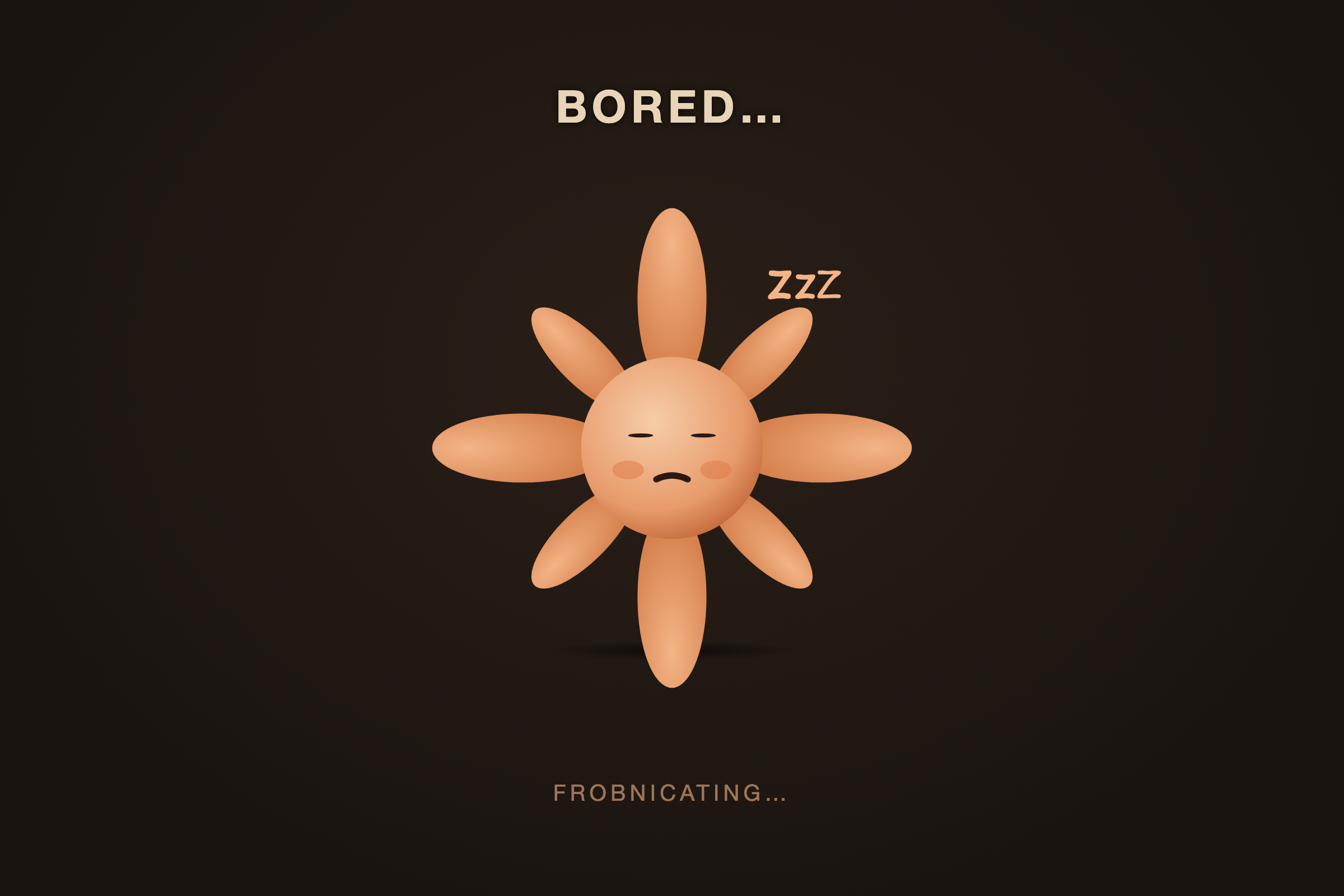
Picture the little orange Claude sunburst - the flower-ish face with the rays coming off it. That character lives on a cheap Raspberry Pi touchscreen sat on the corner of my desk. While Claude Code is busy working, the screen is dark and the character slumps about looking bored - it yawns, it blinks, it sighs, it nods off with little zzz’s floating up.
Then the moment Claude Code stops and needs me - a permission prompt, a question, or just “I’m done, what next?” - the whole screen flips purple, the character springs up and starts dancing, and a label tells me which project it is. “YOUR TURN!”
It’s daft. It’s also genuinely useful, which I did not entirely expect.
How it hangs together
Here’s the bit that surprised me: the hard part - getting Claude Code to tell something else what it’s doing - turned out to be the easy part. Claude Code has hooks, little scripts that fire on events like “about to use a tool” or “stopped and waiting”. You wire them up in your settings and they get the event details as JSON on stdin. That’s the whole ballgame.
So the architecture is just a chain of dead-simple pieces:
Claude Code hooks → shell script → HTTP POST → Flask on the Pi → SSE → browser
Each link is boring on its own, which is exactly what you want. Let me walk the chain.
One script, not seven
Claude Code fires a bunch of different hook events, and I’m interested in most of them. Rather than write seven little scripts, there’s one script that takes a subcommand:
# in ~/.claude/settings.json, every hook points at the same script
hook-pi.sh notify      # Stop / Notification → start dancing
hook-pi.sh idle        # UserPromptSubmit → back to bored
hook-pi.sh heartbeat   # PreToolUse / PostToolUse / SessionStart → still alive
hook-pi.sh end         # SessionEnd → remove me
The script reads the hook’s JSON off stdin, pulls out the session_id and the current folder name with jq, and POSTs that to the Pi. That’s it. Cross-platform too - there’s a POSIX sh version for Mac, Linux and WSL, and a native PowerShell one for Windows.
The Pi just holds a dictionary
On the Pi there’s a tiny Flask server listening on port 8080. It keeps a dictionary of sessions keyed by session_id, and each incoming POST nudges one session into dancing or idle. There are a handful of endpoints - /notify, /idle, /heartbeat, /end - and one more, /events, that the browser connects to.
That last one is Server-Sent Events, which I’d somehow never used before this and now want to use for everything. It’s a one-way stream from server to browser over plain HTTP - no WebSocket handshake, no library, the browser just goes new EventSource('/events') and listens. Every time the state changes, the Pi pushes the whole snapshot down the pipe and the page redraws. For a “show me the current state” screen it’s perfect.
The character is hand-built SVG
There are no image files for the mascot - the whole thing is an SVG drawn in the page, animated with CSS keyframes. Rays, body, two eyes, little cheeks, a mouth. Dancing is one keyframe rocking it side to side; the bored acts (yawn, blink, sigh, sleep, tilt) are separate keyframes a scheduler triggers at random.
That scheduler is the one bit I’m a little smug about. With four bored mascots on screen you don’t want all four animating constantly - that’s a lot of work for a Pi driving a slow little SPI screen. So a single global timer picks one idle character every 6-15 seconds and gives it something to do. Cheap, and it reads as more lifelike than everything moving in lockstep.
The fiddly bits nobody warns you about
The happy path was a weekend. The edges took longer, as they always do.
Knowing when Claude is actually stuck. A dancing mascot should only dance when Claude is genuinely waiting. But what if it starts dancing and then I’m not looking and it just… keeps going? The fix falls out of the heartbeats for free: the tool hooks (PreToolUse, PostToolUse) fire constantly while Claude works. So if a heartbeat arrives, Claude is clearly doing something, not waiting - and that automatically downgrades a dancing mascot back to idle. The thing that proves it’s busy is the thing that calms it down.
Sessions that die without saying goodbye. There’s a SessionEnd hook to remove a mascot when a session closes cleanly. But if you kill -9 Claude, or just slam the terminal shut, that hook never fires - and you’re left with a ghost mascot forever. So there’s a little watchdog on the Pi that evicts any session it hasn’t heard from in ten minutes. Not elegant, but it means the screen self-heals.
It has to survive being ignored. This thing sits on a desk and is supposed to Just Work for weeks without me touching it. So the kiosk launcher is far more paranoid than the rest of the project: it waits for the display to come up, disables screen blanking, and restarts Chromium with exponential backoff if it ever crashes - backing right off if it’s failing repeatedly so it doesn’t thrash. Wildly over-engineered for a dancing cartoon. Absolutely worth it.
The whimsy words
One last thing, because it made me happy. While Claude is working, the mascot shows a little activity word under it. I could have shown the actual tool being run. I did not. Instead it picks from a list of nonsense - “Frobnicating…”, “Hornswoggling…”, “Galumphing…” - in the same spirit as Claude Code’s own status line. It does absolutely nothing useful and I wouldn’t remove it for the world.
Want to build one?
Everything’s on GitHub: github.com/jimbobbennett/claude-notify. You’ll need a Raspberry Pi that runs the desktop OS (a Zero 2 W is plenty) and one of those little SPI touchscreens, though honestly any spare screen will do. The installers merge into your ~/.claude/settings.json for you and back it up first.
And if you don’t fancy the hardware, the interesting transferable bit is the pattern: Claude Code hooks are an open door to making it talk to anything. A dancing robot is just the silliest possible thing I could point that door at. What would you point it at?
Happy making!