Last time I pulled apart the eval prompt - the role, criteria, rubric and examples you write to tell an LLM judge how to judge. But a prompt on its own doesn’t do anything. Something has to take it, point it at your actual trace data, run it, and hand you back a result you can do something with.
That something is an evaluator. And the cleanest way to think about it is as a function: three inputs go in, three outputs come out. The prompt is just one of the three inputs. Understanding the other moving parts is what takes you from “I wrote a clever prompt” to “I have a number on a dashboard I can trust”.
Want it to hand? Download the infographic as a PDF.
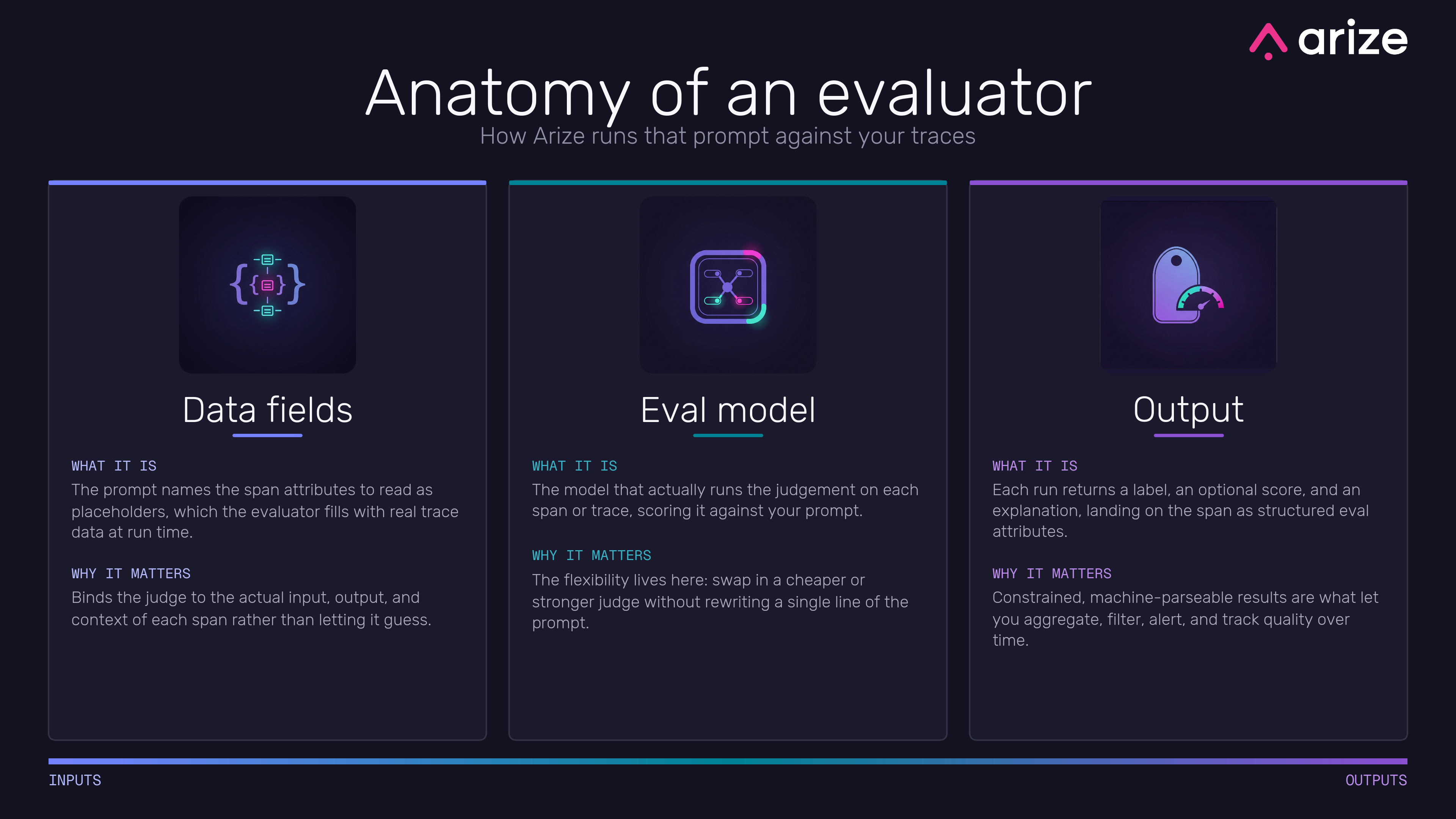
The infographic runs left to right from inputs to outputs. On the input side sits the prompt I covered last time, plus the two pieces below: the data it reads, and the model that runs it. On the output side is the structured result. Get the inputs right and the outputs more or less take care of themselves.
Data fields
Your prompt talks about “the response” and “the retrieved context”, but those are just words until something fills them in with real data. That’s what data fields do. The prompt names the bits of a trace it needs as placeholders, and the evaluator binds each placeholder to an actual span attribute at run time.
This is the join between your nicely written prompt and the messy reality of a trace. You write the prompt once, with placeholders, and the evaluator drops in the real input, output and context for every span or trace it runs against. Get the bindings right and the judge is always looking at the actual data for the thing it’s grading. Get them wrong and you’ve got a beautifully worded prompt judging the wrong field, which is worse than no eval at all because it looks like it’s working. This is also why getting your tracing in order matters so much - the evaluator can only bind to spans you actually captured, which is the whole point of understanding spans, traces and sessions before you start.
Eval model
Then there’s the model that actually does the judging. The prompt and the data tell it what to assess; the eval model is the engine that reads all that and produces the verdict for each span or trace it runs against.
The thing worth noticing here is that this is a dial you can turn on its own. Your prompt and your data bindings don’t change when you swap the model. So you can run a cheap, fast model for a high-volume check where you just need a rough signal, and a stronger, pricier one for the judgement calls that really matter, all without rewriting a word of the prompt. A lot of the flexibility in the whole setup lives in this one input. It’s also where you make the speed-versus-cost trade-off that runs through every way of running an eval.
Output
Finally, the result. Each run hands back up to three things: a label (the categorical verdict, like correct or incorrect), an optional score (a number, if your rubric produces one), and an explanation (the model’s reasoning for why it landed where it did). Those get written back onto the span as structured eval attributes, sitting right alongside the data they were judging.
That structure is the whole reason this is useful rather than just interesting. Because the label is constrained and machine-parseable - not a free-form paragraph - you can aggregate it across thousands of traces, filter to just the failures, alert when the pass rate drops, and watch quality trend over time. The explanation is there for when you need to understand a specific call. The output isn’t a verdict you read once and forget; it’s data you can build dashboards and alerts on top of.
Where the flexibility lives
Step back and the shape is worth holding onto: prompt, data, and model go in; label, score, and explanation come out. The same three-in, three-out function, however simple or fancy the check.
And here’s the part that makes it click. Almost all the power and flexibility lives in those inputs. Want a stricter judge? Tighten the prompt. Want it judging a different part of the trace? Change the data bindings. Want it cheaper or sharper? Swap the model. The outputs stay the same clean, structured shape no matter what you do on the way in, which is exactly what lets you change how you judge without breaking everything downstream that depends on the result. Write a good prompt, point it at the right data, pick a fitting model, and the evaluator turns all that into something you can actually act on.